2.3.42 Satellite metamcp
Handle:
metamcp
URL: http://localhost:34421
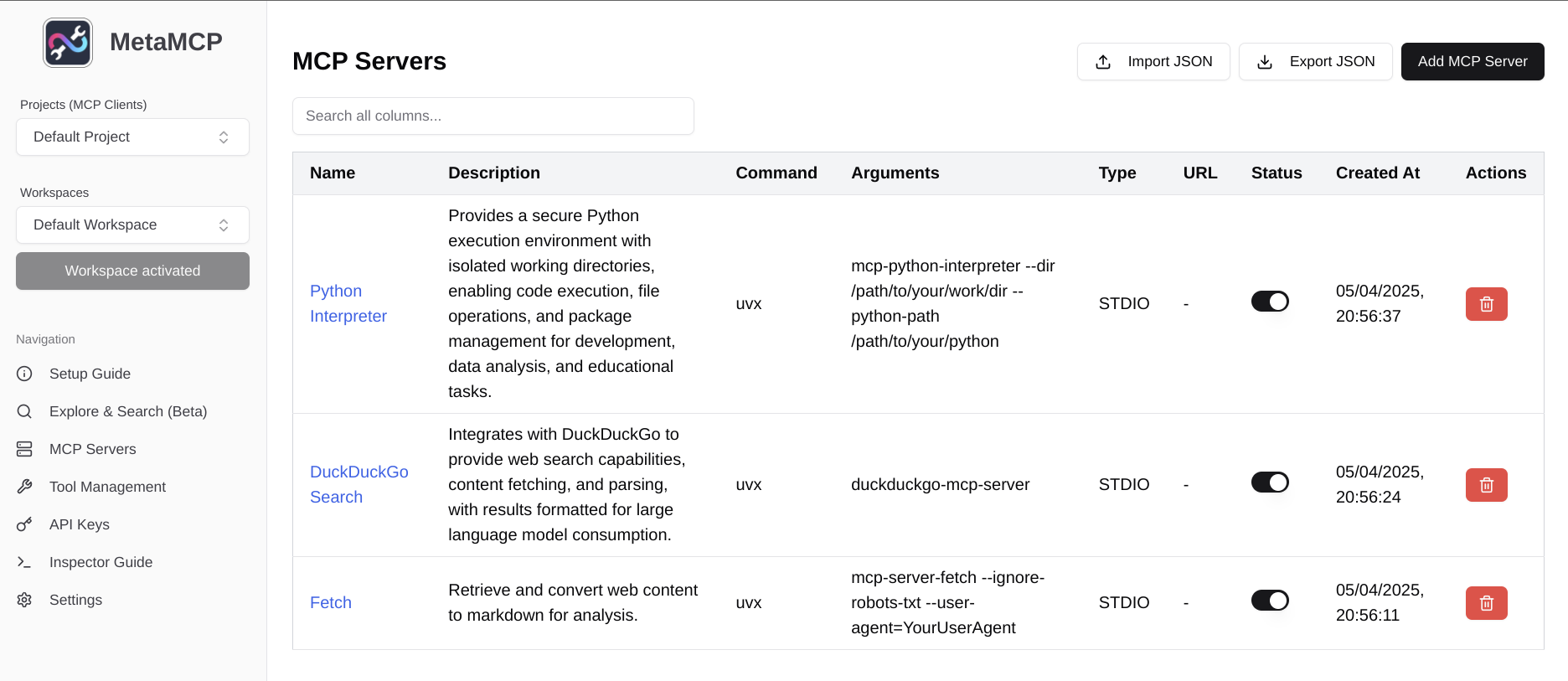
MetaMCP is "the One" middleware MCP to manage all your MCPs. It uses a GUI fullstack app (this repo) and a local MCP proxy to achieve this. (see our latest npm repo mcp-server-metamcp)
A few feature highlights:
- GUI app to manage multiple MCP server integrations all together.
- Support ANY MCP clients (e.g., Claude Desktop, Cursor, etc.) because MetaMCP is a MCP server.
- Support prompts, resources, tools under MCP.
- Support multi-workspace: e.g., activate a workspace of DB1 or switch to DB2 in another workspace, preventing polluting context of DB1 to your MCP Client.
- Tool level toggle on/off
# [Optional] pre-build the images
# ℹ️ This may take a few minutes
harbor build metamcp

# Run the service
# "--open" is optional to open the browser automatically
harbor up metamcp --open

# Configure the MCPs via the GUI
# Then, restart to make the changes effective
harbor restart metamcp

# Launch @modelcontextprotocol/inspector
# Use host's url to access the MCP server: $(harbor url metamcp-sse)/sse
npx @modelcontextprotocol/inspector- MetaMCP is an app that doesn't run MCP servers on its own, however, Harbor also bundles its "backend" part, MetaMCP MCP Server (available as
metamcp-sseservice)- You will need to restart after reconfiguring your MCPs, so that
metamcp-ssecan pick up the changes - You can use
metamcp-sseaddress as SSE MCP server for your other MCP clients (http://localhost:34423/sseby default)
- You will need to restart after reconfiguring your MCPs, so that
-
mcpowill connect tometamcp-sseout of the box when services are launched together
Following options can be set via harbor config:
# Port on the host where the metamcp service will be available
METAMCP_HOST_PORT              34421
# Port on the host where MetaMCP DB will be available (Postgres)
# You can connect to the DB by checking "harbor env metamcp DATABASE_URL"
METAMCP_DB_HOST_PORT           34422
# Port on the host where metamcp-sse service will be available
METAMCP_SSE_HOST_PORT          34423
# GitHub ref to build MetaMCP images from
METAMCP_GIT_REF                https://github.com/metatool-ai/metatool-app.git
Additionally, you can use harbor env to set environment variables that are supported by the service.