SAML SSO fails when assertion encryption algorithm is different from default (POST Binding) #13762


Description

Describe the issue:
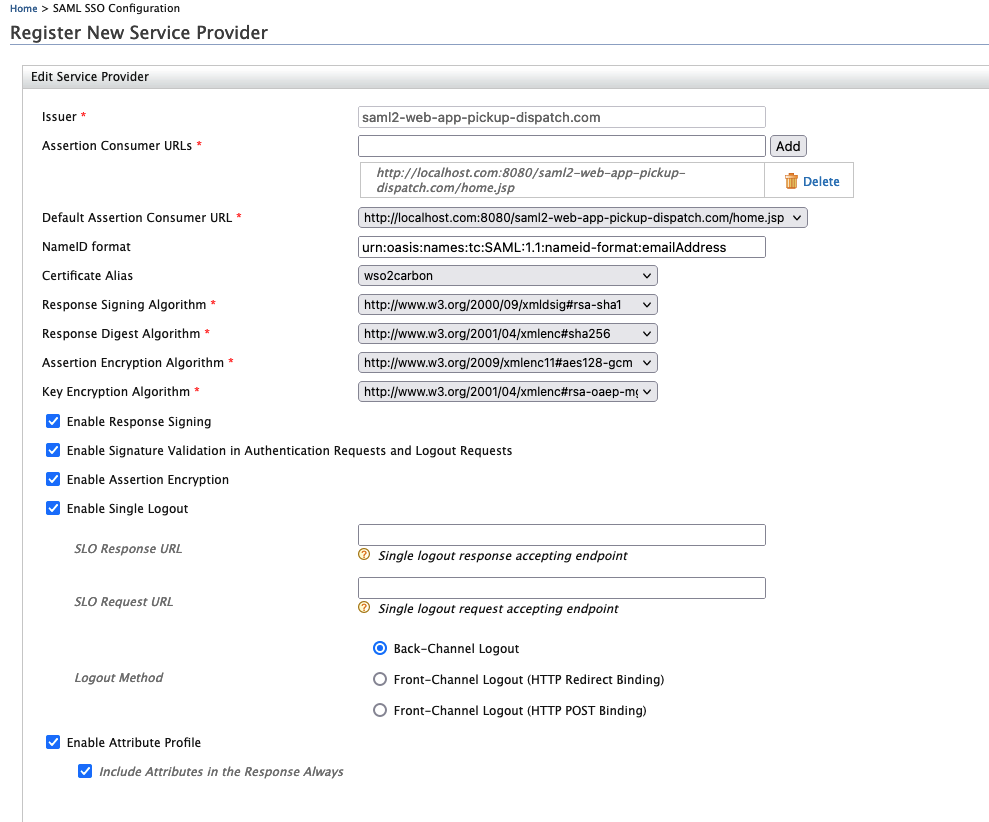
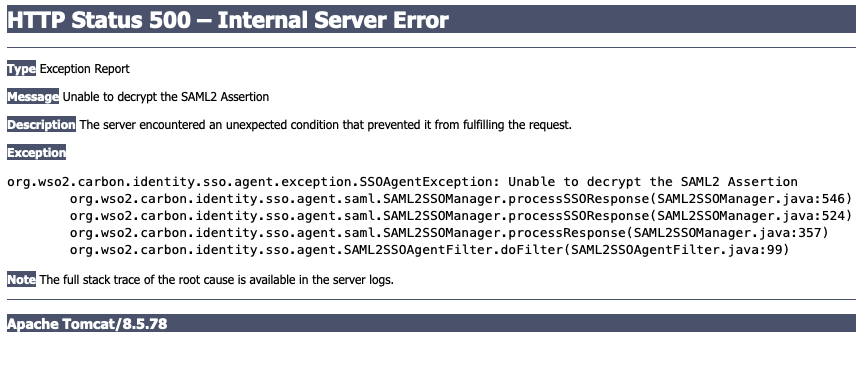
- Cannot sign in to the web apps(saml2-web-app-pickup-dispatch,saml2-web-app-pickup-manager) when you use the following assertion encryption algorithms.
-aes128-gcm,aes192-gcm,aes256-gcm
How to reproduce:
- Navigate to Main menu of the management console select List from Service Providers.
- Under the listed service providers select Edit on you preferred service providers.
- Go to Inbound Authentication Configuration>SAML2 Web SSO Configuration.
- Enable Assertion Encryption and select one of the above mentioned algorithms as the Assertion Encryption Algorithm.
- Press Update.
- Go to the sso.properties file in the service provider web app and set SAML2.EnableAssertionEncryption as True.
- Restart the web app server and try to sign in.

Expected behavior:
- Sign in to the web app.
Environment information
- Product Version: IS 6.0.0
- OS: Mac OS 12.4
- Database: MySQL 8.0.29
- User store: Primary and Secondary
- Browser: Firefox 91.0
- No issue with SSO when using the algorithms aes256-cbc,aes192-cbc,aes128-cbc,tripledes-cbc