

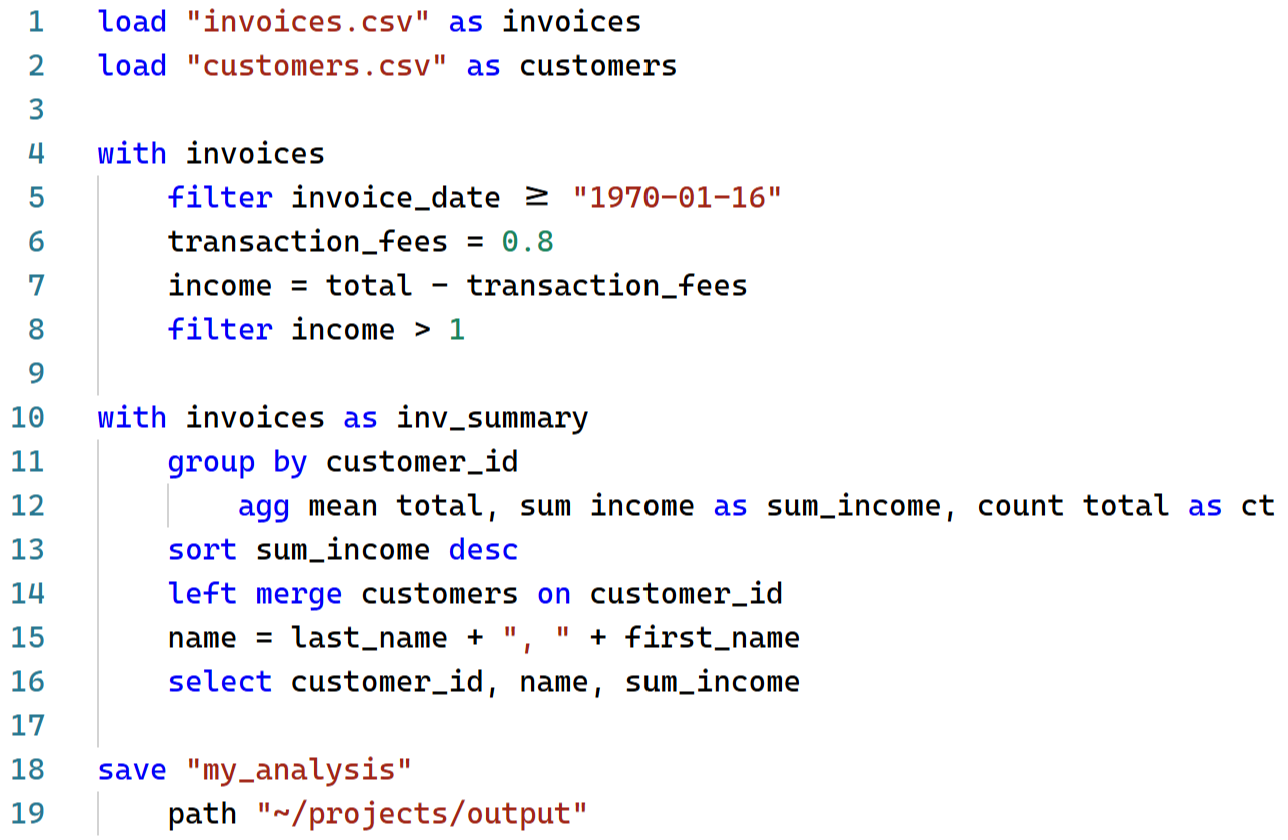
Pivotal is a data analysis language for Python. It offers a concise syntax for common data operations that compiles to Pandas, Polars or DuckDB code. With comprehensive JupyterLab and VS Code support (syntax highlighting, autocomplete, interactive viewer and GUI controls) Pivotal provides a friendly entry point to the Python data ecosystem.
Website: www.pivotal-lang.org
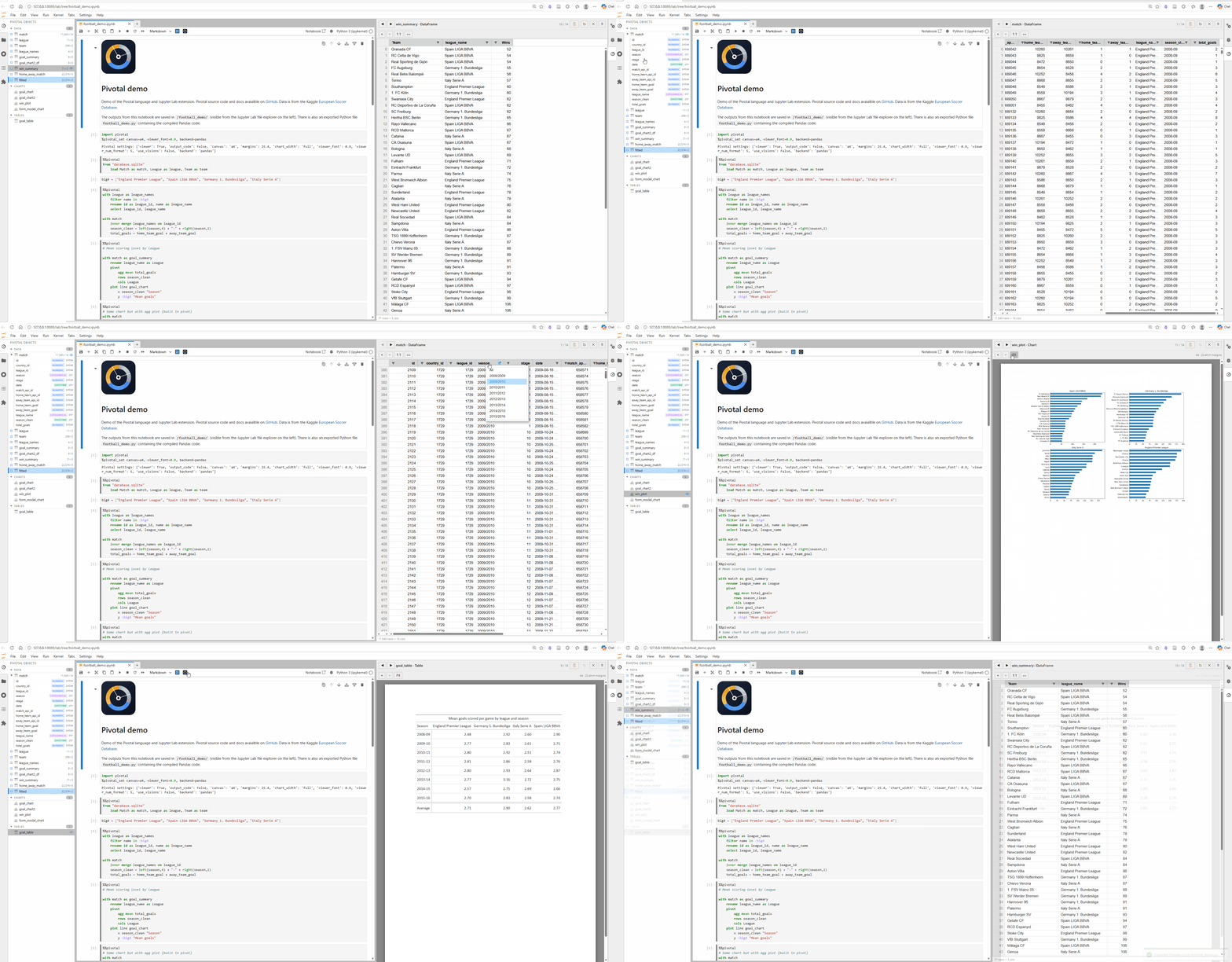
A live-demo of Pivotal in Jupyter Lab is available via Binder:
- New language features including
bulk load, columnforloops, regex string operations, regex-based column selection,assert/check, nativelist/scalar/dictvalues, pipelinefunctions, and richer output commands - Expanded AI and automation support with structured run / verify / compare APIs, a local MCP server, a hosted read-only MCP mode, docs search tools, and syntax highlighting metadata
- Major documentation expansion including the full syntax reference, command reference, backend guide, and MCP server docs
- Improved editor and notebook experience across JupyterLab and VS Code, including better highlighting, autocomplete, viewer behavior, and packaging fixes
See the full changelog at: https://github.com/nealbob/pivotal-py/blob/master/CHANGELOG.md
Readable, writable syntax — write data transformations in a concise declarative syntax that feels familiar to SQL and Pandas users
Multiple backends — compile to Pandas, Polars, or in-process DuckDB SQL
JupyterLab and VS Code integration — syntax highlighting, autocomplete, %%pivotal cell magic, interactive object viewer and explorer, and GUI controls
AI support — ask an LLM or coding agent to generate, run, verify, and compare Pivotal code via the Pivotal MCP server
Comprehensive data pipelines — build full workflows with data-quality checks, pipeline functions, column loops, and loadable config / metadata values
Plotting and tables — create charts and publication-ready tables with simple syntax, backed by matplotlib and Great Tables
Data packages — export DataFrames, charts, and tables to a single Frictionless data package
Python integration — call Python functions, load Python variables, and mix Pivotal and Python code as needed
pip install pivotal-langThis installs the full feature set — Pandas, Polars, DuckDB, Great Tables.
For a minimal Pandas-only install:
pip install --no-deps pivotal-lang
pip install lark pandas matplotlibpip install pivotal-labInstall from the VS Code Marketplace, or build locally from editors/vscode.
Full documentation including the complete syntax reference, backend guide, and API reference:
Contributions are welcome! Please open an issue or pull request on GitHub.
To install the developer test dependencies:
pip install .[test]The JupyterLab Playwright smoke test is optional. To install its dependency:
pip install .[jupyter-test]
python -m playwright install chromiumMIT
Neal Hughes
-
v0.1.0 — Initial release
-
v0.2.0 — Breaking grammar changes and major new features
- Breaking:
df <name>renamed towith <name>; copy syntax changed fromdf <name> from <source>towith <source> as <name> - Breaking:
loadsyntax flipped fromload <name> "path"toload "path" as <name> - New
fromstatement for database connections (SQLite, DuckDB, SQLAlchemy URIs) - Full VS Code extension: data viewer, Python↔VS Code bridge, snippets with tab-stops, hover documentation
- Improved error messages: friendly syntax errors, semantic validator (unknown table/column detection), runtime error filter with expandable tracebacks
- AG Grid viewer: polished UI, column auto-fit, cell text selection, column pin menu
- VS Code viewer opens in a horizontal split; quick-open command (
Ctrl+Shift+O) to search all loaded data, charts and tables - Full install by default — dropped
pivotal[all]extras syntax
- Breaking:
-
v0.3.0 — New language features and fixes
elseclause in conditional assignments:col = expr where condition else defaultelsedefault branch in multi-case (where/where/else) assignments- Scalar
min()andmax()in column expressions, supported across all backends - Fixed syntax highlighting gaps in VS Code and JupyterLab extensions
- Fixed Pygments lexer missing keywords (
else,end, and others)
-
v0.5.0 - Major syntax, MCP, docs, and editor release
- Added
bulk load, columnforloops, regex transforms, regex selection, data-quality commands, native values, and pipeline functions - Added structured AI verification / comparison APIs and both local and hosted MCP server modes
- Added complete syntax and command-reference docs, plus versioned online docs
- Improved JupyterLab and VS Code highlighting, autocomplete, viewer rendering, and packaging
- See
CHANGELOG.mdon GitHub for the full release notes
- Added
For questions, issues, or feature requests please open an issue on GitHub or contact hughes.neal@gmail.com.