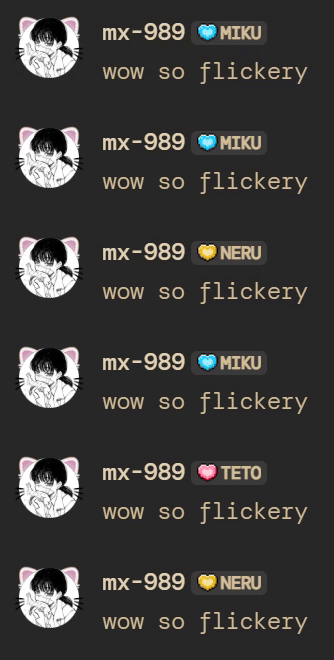
Discord allows you to display a server tag on your profile. This script automatically cycles through multiple server tags from different servers you're in, changing them at a customizable interval.
A cute interface is also included ~w~
- a bash shell that can handle curl.
- Python 3.6 or higher
- requests library (install it with
pip install requests)
Download and open the script (.sh for bash, .py for python) in a text editor to edit the required variables :
TOKEN One of your discord tokens(?).
GUILDS The servers IDS(?) whose tags you want to include in your rotation.
COOLDOWN The number of seconds between each tag change. Default is 5 seconds, and discord seems to process updates at a max of ~1 per second.
Then launch the script.
chmod +x TagCarousel.sh
./TagCarousel.sh
Or
python3 TagCarousel.pyWindows users can also just double click the .py file.
Using any kind of automation tool violates Discord's ToS.
Your account could technically get suspended or banned for using this script, though Discord is known for being somewhat lenient with its rules as long as you are not interfering with the experience of other users.
You should be fine, but as always, use at your own risk.
The requests are set up to mimic a Discord app on a Windows computer located in the UK. If you know what you are doing, you can adjust the HTTP headers to match one of your devices.