This project contains sdr scanner written in c++ to scan and record multiple interesting frequencies bandwidth in the same time (eg. 108 MHz, 144 MHz, 440 Mhz, etc). This is possible by switching quickly between frequencies bandwidth.
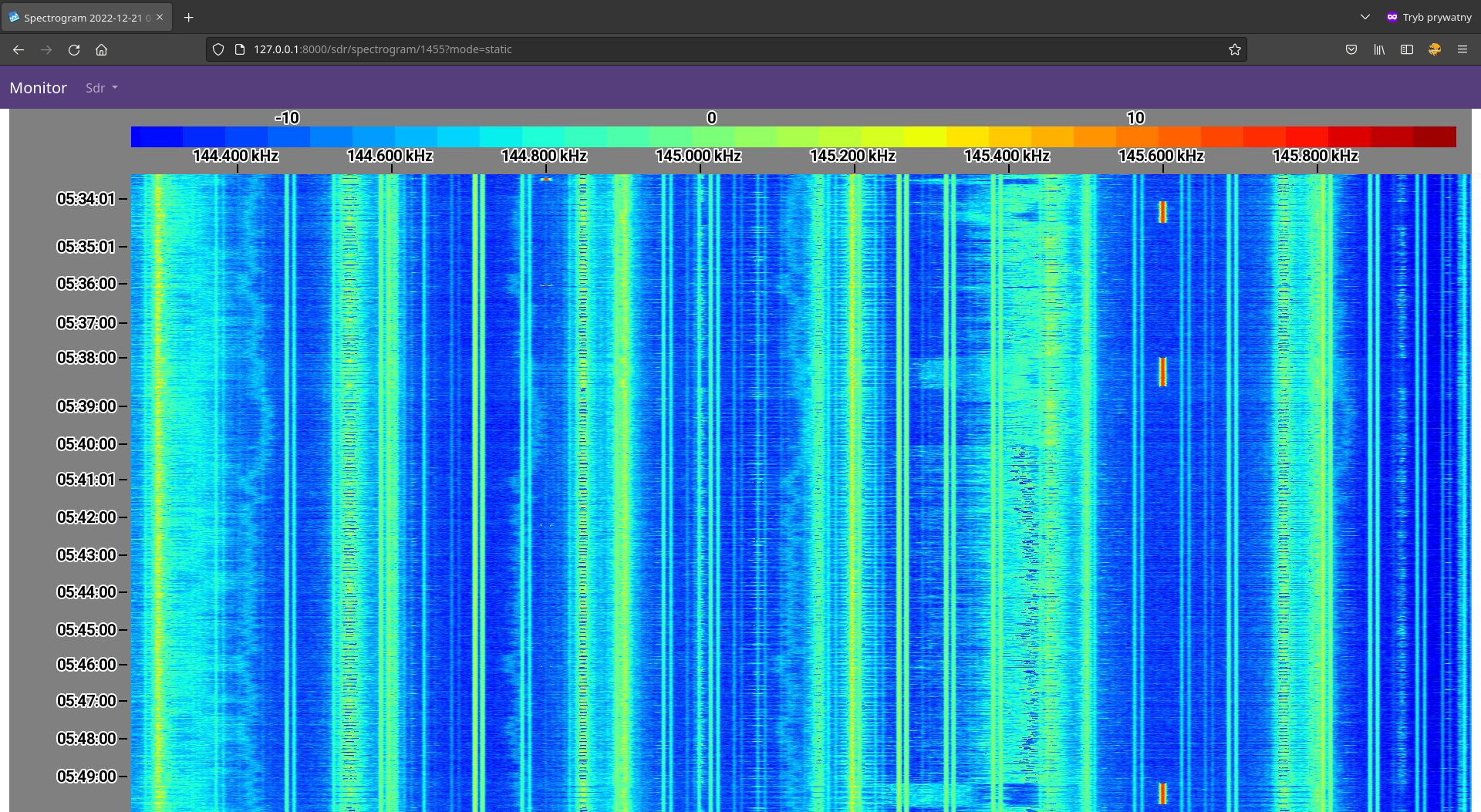
Sdr scanner also allows you to record multiple transmissions simultaneously (if they are transmitted on the same band). For example, if one transmission is on 145.200 MHz and the other is on 145.600 MHz, the scanner will record and save both!
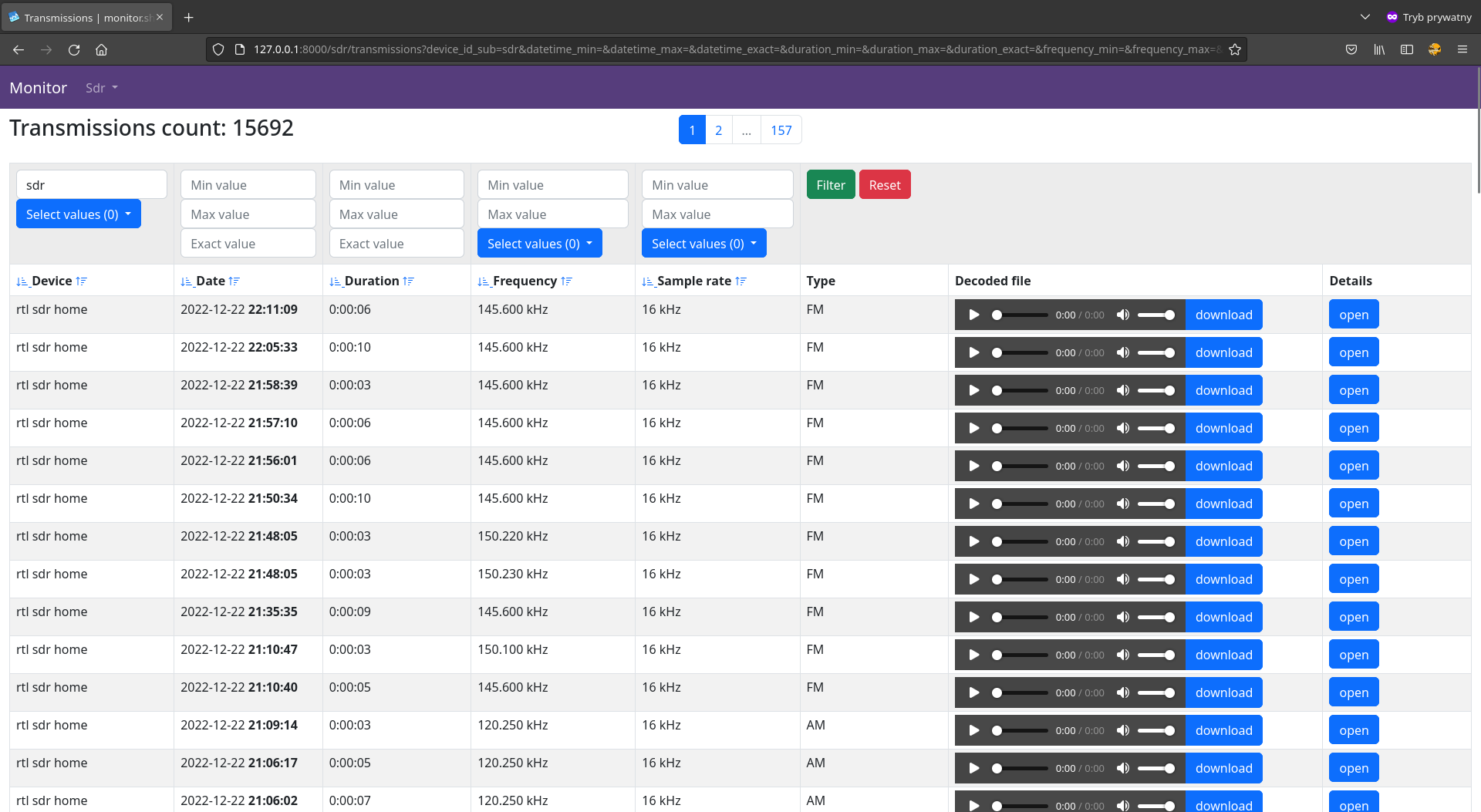
It also provides easy but very powerful web panel to explore recordings and spectrograms.
rtl-sdrHackRF
FMAM
introduction video - thanks to Tech Minds!
introduction video - old version
| Spectrogram | Transmission |
|---|---|
 |
 |
 |
 |
If you do not have docker installed, follow the instructions available at https://docs.docker.com/desktop/ to install docker and docker compose.
Download sample configuration and docker file, then run it. Customize config.json to your needs.
mkdir -p sdr
cd sdr
wget https://github.com/shajen/rtl-sdr-scanner-cpp/raw/master/config.json
wget https://github.com/shajen/rtl-sdr-scanner-cpp/raw/master/docker-compose.yml
docker compose up
To update docker images to latest version type:
docker compose pull
Also remember to update docker-compose.yml and config.json.
Open http://localhost:8000/sdr/spectrograms/ and wait for data to collect.
Admin panel available at http://localhost:8000/admin/. Username: admin, password: password.
If you use rtl-sdr remember to blacklist rtl2832 modules so that the host operating system doesn't attach the devices and instead allows the devices to be claimed by the docker guest instance.
Copy and run this entire section of script at once. Note that one may need to explicitly press enter after pasting to get it to run.
sudo tee /etc/modprobe.d/blacklist-rtlsdr.conf > /dev/null <<TEXT1
# Blacklist host from loading modules for RTL-SDRs to ensure they
# are left available for the Docker guest
blacklist dvb_core
blacklist dvb_usb_rtl2832u
blacklist dvb_usb_rtl28xxu
blacklist dvb_usb_v2
blacklist r820t
blacklist rtl2830
blacklist rtl2832
blacklist rtl2832_sdr
blacklist rtl2838
blacklist rtl8192cu
blacklist rtl8xxxu
TEXT1
sudo rmmod dvb_core
sudo rmmod dvb_usb_rtl2832u
sudo rmmod dvb_usb_rtl28xxu
sudo rmmod dvb_usb_v2
sudo rmmod r820t
sudo rmmod rtl2830
sudo rmmod rtl2832
sudo rmmod rtl2832_sdr
sudo rmmod rtl2838
sudo rmmod rtl8192cu
sudo rmmod rtl8xxxu
Docker version should work on RaspberryPi, but keep in mind that RaspberryPi is not a powerful machine and is not good for sdr data processing. sdr device can produce 40 megabytes per second! It's a lot of data for RaspberryPi to processing in real time. It's a lot of data even for some desktop computers.
If you still want to do this, please replace the SD card with a fast one and make sure you have a strong version of RaspberryPi.
Better idea is to build sdr-scanner from sources via cmake and run natively on RaspberryPi. Next run sdr-monitor and mqtt-broker on any other machine (even in the cloud) and connect sdr-scanner to them (you have to set valid mqtt data in config.json and maybe manipulate in docker-compose.yml).
To auto-detect transmissions, sdr scanner has to learn noise level every run. It takes first n seconds (defined in config.json as noise_learning_time_seconds default is 30 seconds). So if any transmission will appear in this period it's may not be detected by scanner later.
Sdr scanner has feature to avoid recording torn transmission like below.
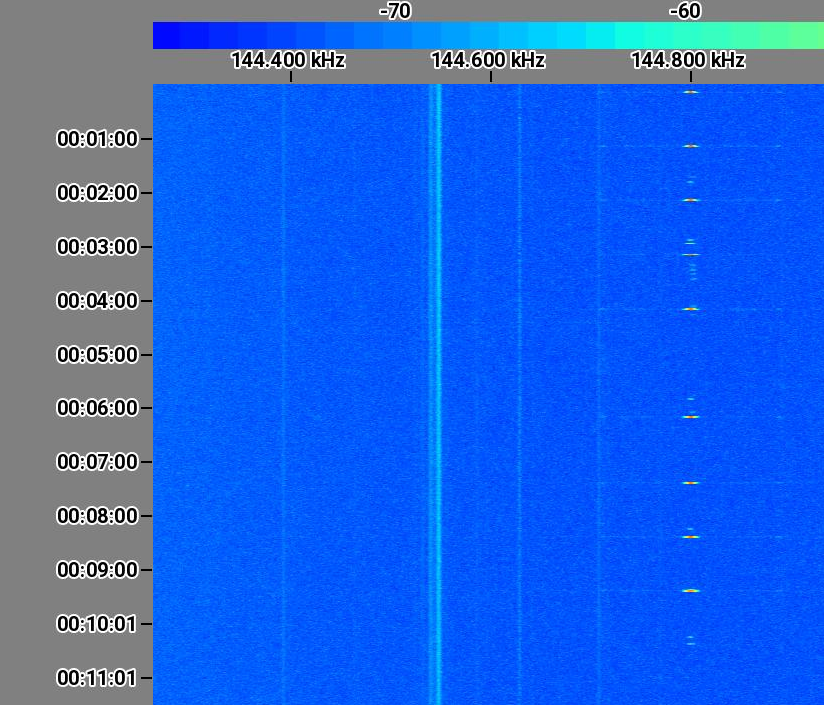
It takes first n seconds (defined in config.json as torn_transmission_learning_time_seconds default is 60 seconds) seconds.
So sdr scanner starts auto-recording transsmions after noise_learning_time_seconds + torn_transmission_learning_time_seconds.
Using this software with HackRF and sample rate 10 MHz and above needs strong PC. In most casies, Raspberry Pi will not be enough.
For example, HackRF with sample rate 20 Mhz generates about 40 MB of data every second, and processing it in real-time needs a strong CPU with multiple cores and some memory resources.
All of the following examples should be used in the config.json file.
To scan single frequency range:
{
  "scanner_frequencies_ranges": [
    {
      "device_serial": "auto",
      "ranges": [
        {
          "start": 144000000,
          "stop": 146000000,
          "sample_rate": 2048000
        }
      ]
    }
  }
}
To set ppm to 5 and gain to 49.6:
{
  "devices": {
    "rtl_sdr": {
      "ppm_error": 5,
      "tuner_gain": 49.6,
      "offset": 0
    }
  }
}
To scan single frequency range:
{
  "scanner_frequencies_ranges": [
    {
      "device_serial": "auto",
      "ranges": [
        {
          "start": 430000000,
          "stop": 450000000,
          "sample_rate": 20480000
        }
      ]
    }
  }
}
To set lna to 16 and gain to 42:
{
  "devices": {
    "hack_rf": {
      "lna_gain": 16,
      "vga_gain": 42,
      "offset": 0
    }
  }
}
To ignore annoying frequency that you are not interested use ignored_frequencies. For example to ignore frequency 144 Mhz with width 20 kHz and 145.350 Mhz with width 50 kHz use:
{
  "ignored_frequencies": [
    {
      "frequency": 144000000,
      "bandwidth": 20000
    },
    {
      "frequency": 145350000,
      "bandwidth": 50000
    }
  ]
}
To use two dongles with serials 11111111 and 22222222:
{
  "scanner_frequencies_ranges": [
    {
      "device_serial": "11111111",
      "ranges": [
        {
          "start": 144000000,
          "stop": 146000000,
          "sample_rate": 2048000
        }
      ]
    },
    {
      "device_serial": "22222222",
      "ranges": [
        {
          "start": 440000000,
          "stop": 442000000,
          "sample_rate": 2048000
        }
      ]
    }
  ]
}
If you have multiple rtl-sdr dongles with the same serial you can change it with rtl_eeprom -s 12345678.
To scan 144 Mhz - 146 Mhz and 440 Mhz - 442 Mhz in the same time:
{
  "scanner_frequencies_ranges": [
    {
      "device_serial": "auto",
      "ranges": [
        {
          "start": 144000000,
          "stop": 146000000,
          "sample_rate": 2048000
        },
        {
          "start": 440000000,
          "stop": 442000000,
          "sample_rate": 2048000
        }
      ]
    }
  ]
}
It is possible to set custom fft on spectrogram.
{
  "scanner_frequencies_ranges": [
    {
      "device_serial": "auto",
      "ranges": [
        {
          "start": 144000000,
          "stop": 146000000,
          "sample_rate": 2048000,
          "fft": 16384
        }
      ]
    }
  ]
}
If you have some problems with this software follow the steps to get debug log.
Set "console_log_level": "trace" in config.json.
Then run app normally by docker compose up. After the error run docker compose logs > logs.txt. Please attach logs.txt if you create a new issue. Do not paste logs directly to issue. Upload it to any file host service (https://file.io/, https://pastebin.com/ or any you like).
If timezone detection not work correctly and it seems to use UTC instead your timezone please set timezone in host system. To set Europe/Warsaw type:
echo "Europe/Warsaw" | sudo tee /etc/timezone
Build
sudo apt-get install build-essential cmake ccache libfftw3-dev libspdlog-dev librtlsdr-dev libhackrf-dev libliquid-dev nlohmann-json3-dev libmosquitto-dev libgtest-dev libgmock-dev libboost-all-dev
git clone https://github.com/shajen/rtl-sdr-scanner-cpp sdr-scanner
cd sdr-scanner
cmake -B build -DCMAKE_BUILD_TYPE=Release .
cmake --build build -j$(nproc)
Run
./build/auto-sdr config.json
Build
git clone https://github.com/shajen/rtl-sdr-scanner-cpp sdr-scanner
cd sdr-scanner
docker build -t shajen/sdr-scanner -f Dockerfile .
Run
docker run --rm -it -v ${PWD}/config.json:/config.json --device /dev/bus/usb:/dev/bus/usb shajen/sdr-scanner
It is possible to run every module (sdr-broker, sdr-scanner and sdr-monitor) on different machines and connect them. Please familiar with docker-compose.yml to do it.
In general don't be afraid to send pull request. Use the "fork-and-pull" Git workflow.
- Fork the repo
- Clone the project to your own machine
- Commit changes to your own branch
- Push your work back up to your fork
- Submit a Pull request so that we can review your changes
NOTE: Be sure to merge the latest from upstream before making a pull request!
If you enjoy this project and want to thanks, please use follow link:
