

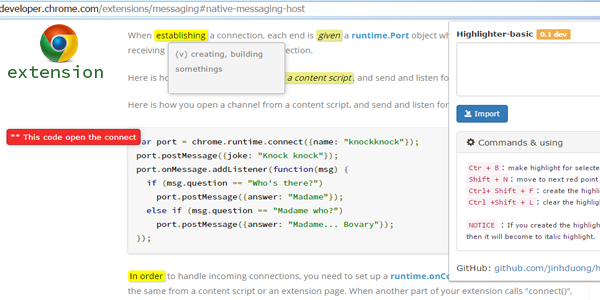
- This is a chrome extension that will help you make the highlights for sites is being surfed.
- It will store the highlights that you created, it still keep although you reload page or re-open browser.
- Can create the red points that you can scroll to by this command
Ctrl+N. - Can create the json files for share to your friends or opposite.
- Connect with my project follow link: https://github.com/jinhduong/highlighter-basic
- My blog : http://jinhduong.github.io/
- Chrome web store link : Highlighter Basic 0.1
Release 0.1 beta
Ctr + B: make highlight for selected text.Shift + N: move to next red point position.Ctrl + Shift + F: create the highlight file(.json).Ctrl Shift + L: clear the highlight data for this page.Import data type 1: Open extension popup, paste the json string and then clickImport from textbutton.Import data type 2: Open extension popup,Import from file, open file -> update to your page.Red point: Right-click, choose "Make red point" and then type description.