
Like go test but with colors.
Use the pre-built binary for Linux 64-bit:
$ curl https://gotest-release.s3.amazonaws.com/gotest_linux > gotest && chmod +x gotest
Alternatively:
$ go install github.com/rakyll/gotest@latest
Accepts all the arguments and flags go test works with.
Example:
$ gotest -v github.com/jonasbn/go-test-demo
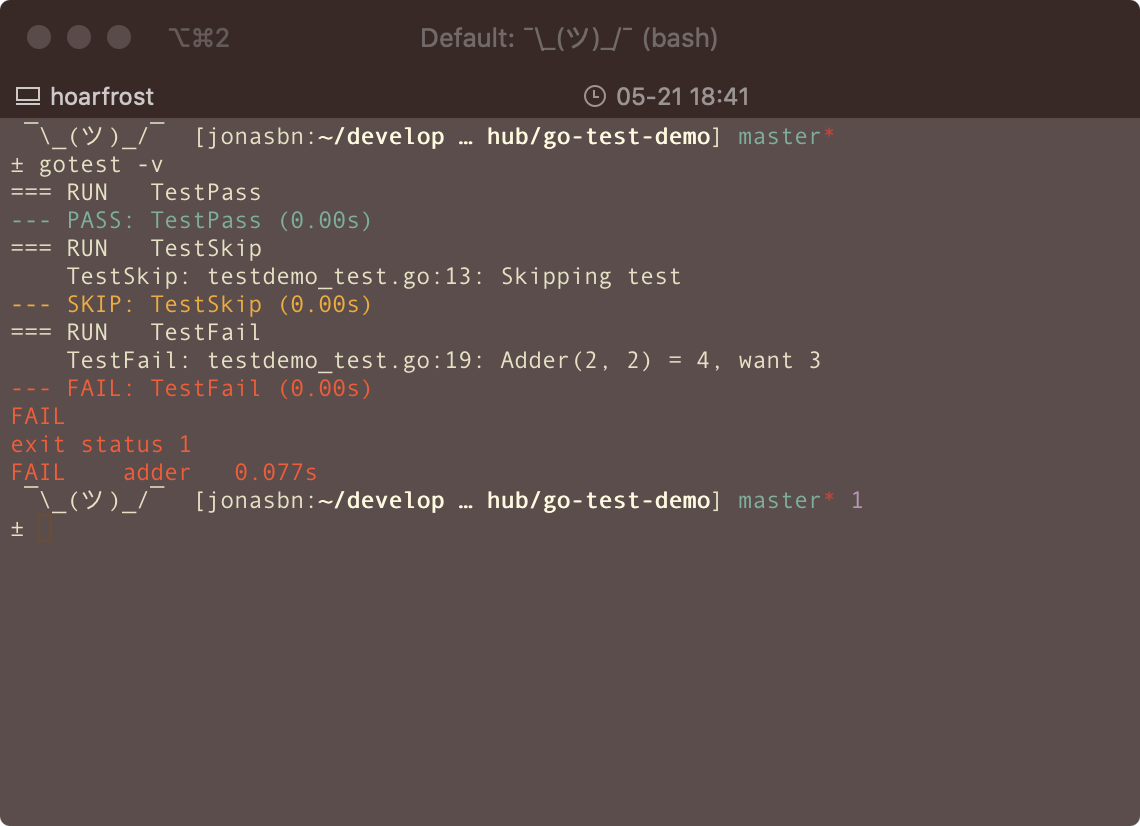
gotest comes with many colors! Configure the color of the output by setting the following env variable:
$ GOTEST_PALETTE="magenta,white"
The output will have magenta for failed cases, white for success. Available colors: black, hiblack, red, hired, green, higreen, yellow, hiyellow, blue, hiblue, magenta, himagenta, cyan, hicyan, white, hiwhite.
GOTEST_PALETTE: Customize the colors for test output (format: "fail_color,pass_color")
$ GOTEST_PALETTE="red,green" gotest -v ./...
GOTEST_SKIPNOTESTS: Skip printing "[no test files]" messages (set to "true" to enable)
$ GOTEST_SKIPNOTESTS="true" gotest -v ./...
CI Detection: gotest automatically enables colored output when running on CI systems (Travis, AppVeyor, GitLab CI, CircleCI). Colors are enabled by default on these platforms even if the terminal doesn't support them.